
“Inclusify App”
Problem Statement
“Parents and caregivers of children, regardless of ability, encounter challenges in finding suitable playgrounds due to a lack of awareness and accessible information. The absence of a user-friendly platform hampers their ability to locate nearby playgrounds suitable for all children, highlighting the need for an innovative solution that provides centralized information to empower parents and caregivers and promote inclusive play experiences for all children.”
Solo Project for University
Target Audience
The primary target audience consists of parents and caregivers who enjoy taking their children, with or without disabilities, to playgrounds.


Design Thinking Process
Framework
During this project, I used the design thinking framework because it provided me a structured, human-centered approach to innovation.
It allows me to empathize with the needs of parents and caregivers, ideate creative solutions, prototype and test those solutions iteratively, ensuring that the final product effectively addresses the challenges of accessing inclusive playgrounds for children of all abilities.
Exploring User Insights
Exploring User Insights
Empathize
To initiate the Empathize stage, I employed Human-Centered Design (HCD) principles, prioritizing user needs.
I began by conducting a competitive analysis, looking at websites of companies promoting inclusive playgrounds, and analyzing user reviews.
Main issues:
A lot of unnecessary information;
On none of the websites, you could connect with other parents/people or find an easy way to get to the playgrounds;
Can be confusing to navigate through, especially for less experimented users;
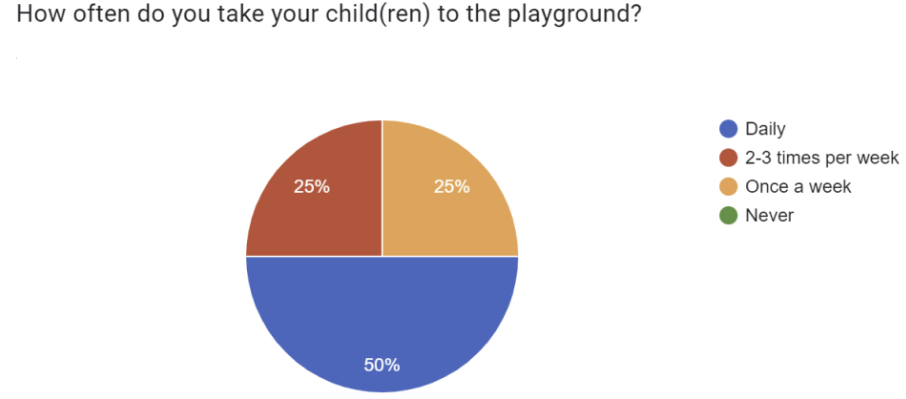
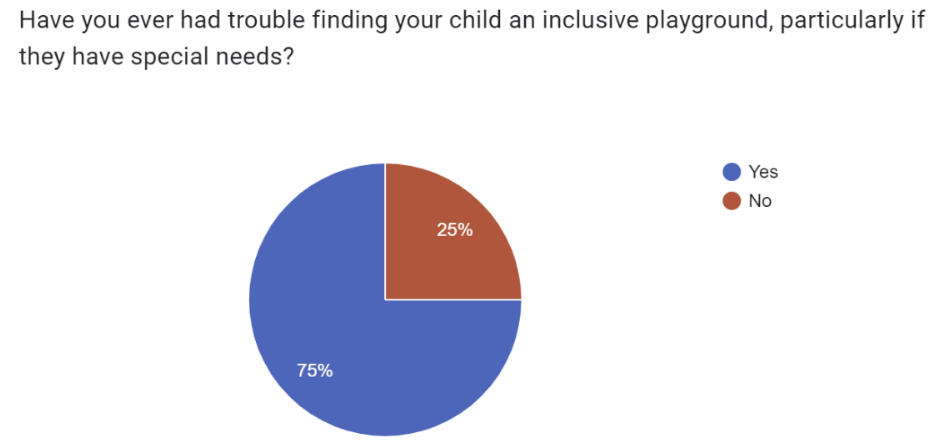
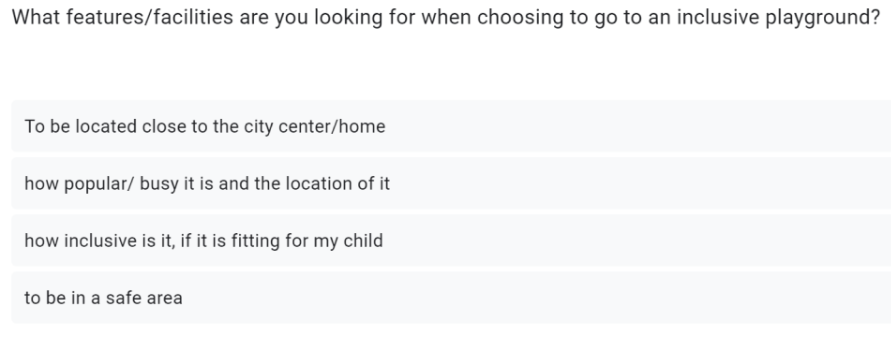
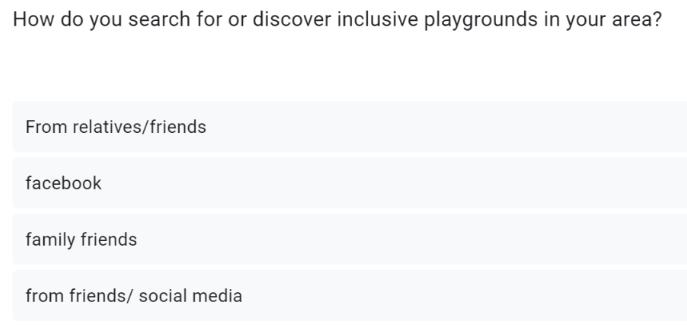
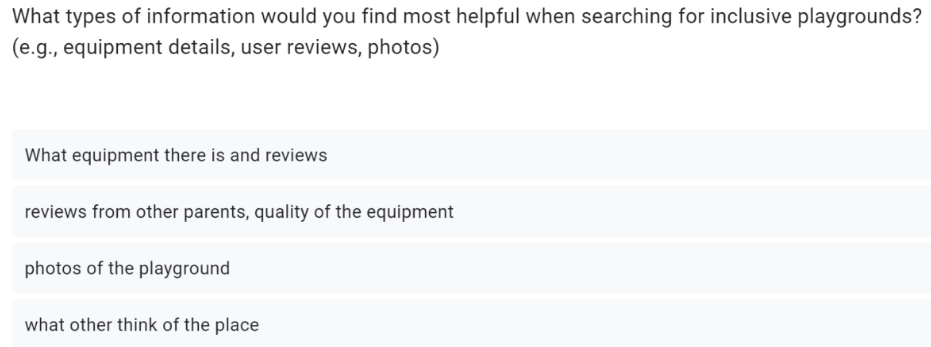
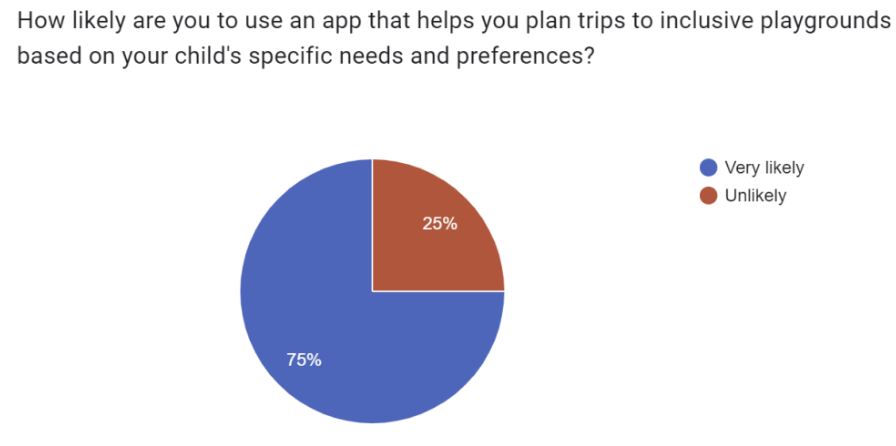
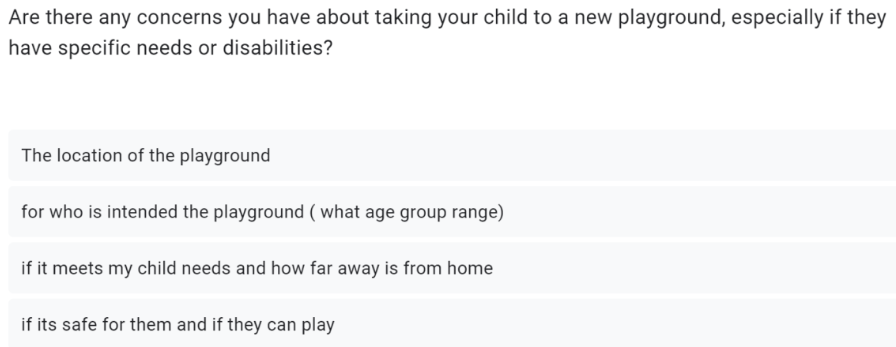
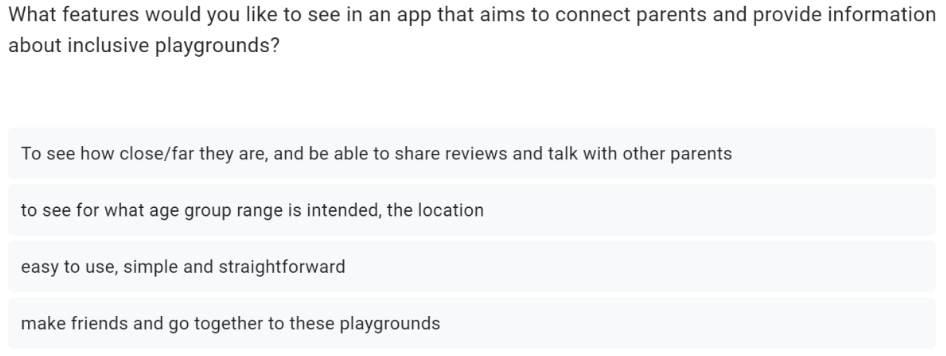
To get deeper into user experiences, I conducted a survey. This aimed to understand how often parents visit playgrounds with their children , the challenges they face in finding inclusive playgrounds and if they would like an app that would solve their problems and what features they would like to have in it.
Refining User Insights
Refining User Insights
2. Define
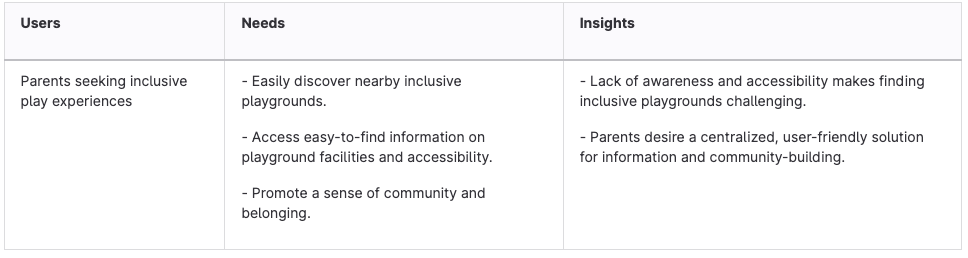
I aimed to articulate and define the user's problems. Building upon insights gathered during the Empathize stage, I analyzed data to identify common challenges faced by my users. By synthesizing this information, I gain a deeper understanding of the user's needs, aspirations, and pain points.
The root of the problem:
lack of awareness, leading to the absence of easily accessible information about inclusive playgrounds, which stops parents and families from discovering and utilizing these spaces for their children.
Additionally, to continue on this stage, I created a User Persona, POV (point of view), “How Might We” Questions and Customer Journey Map.
3. Ideate
The Concept “Inclusify”
The concept is to create a User-Friendly App in order to address the widespread lack of knowledge regarding inclusive playgrounds. This app would serve as a centralized hub of information, empowering parents and families to effortlessly find, access, and utilize nearby inclusive playgrounds for their children, regardless of abilities.
Context:
An innovative app appears in a society where inclusive playgrounds remain ineffective because people are unaware of them. This app is very easy to use and provides parents and caregivers with an accessible hub of information on inclusive playgrounds that are close by. These inclusive places are now easily accessible to all families and adults with children, regardless of ability level, encouraging play and a sense of community for all.
“How Might We” Questions
These questions turned challenges into opportunities by helping me think creatively about specific aspects of the app. Answering these questions will help me come up with practical solutions to improve user experience, community engagement, accessibility, and user contribution in the app.
How might we design the app interface to provide a seamless and user-friendly experience for parents searching for inclusive playgrounds?
How might we encourage community engagement within the app to gather connections and shared experiences among parents with children of diverse abilities?
How might we integrate real-time updates and notifications to keep parents informed about new inclusive playgrounds or relevant events in their local area?
How might we ensure that the app is easy to use, making it accessible and intuitive for all users?
How might we empower parents to actively contribute to the app by sharing information and experiences, creating a dynamic and evolving platform?
-
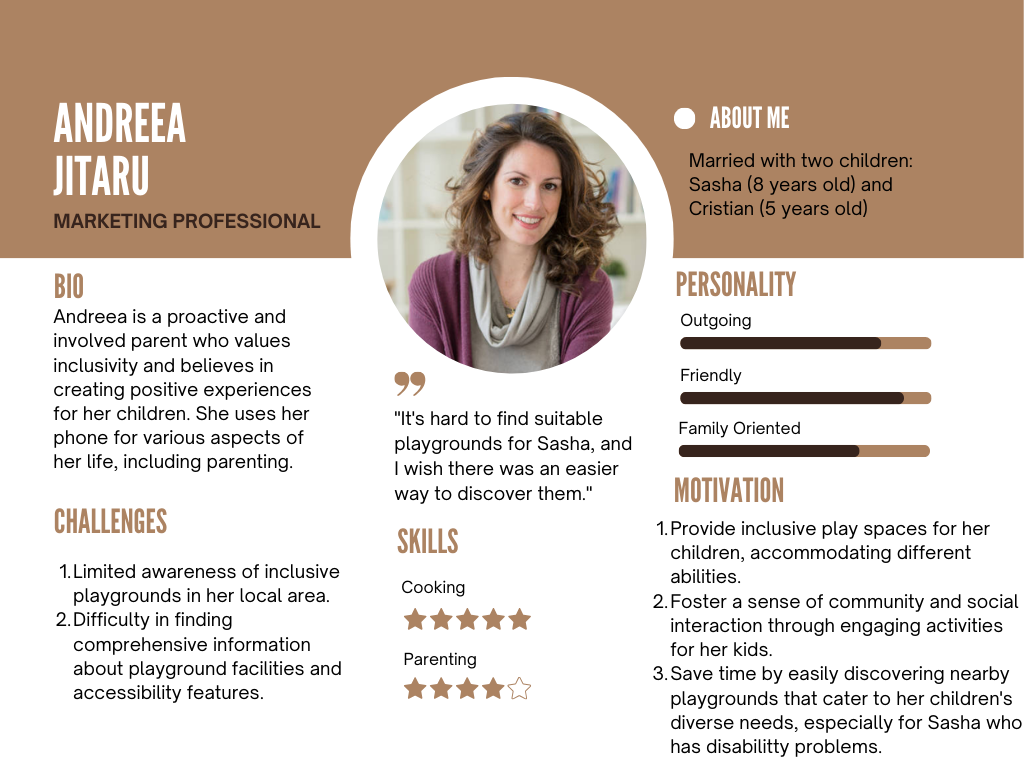
User Persona
WHY? - To represent my target users in a detailed and relatable manner. This helped me understand the users' needs, preferences, and challenges more vividly, guiding my design decisions with a user-centric approach. It ensured me that my solutions align closely with the actual experiences of my intended audience.
-
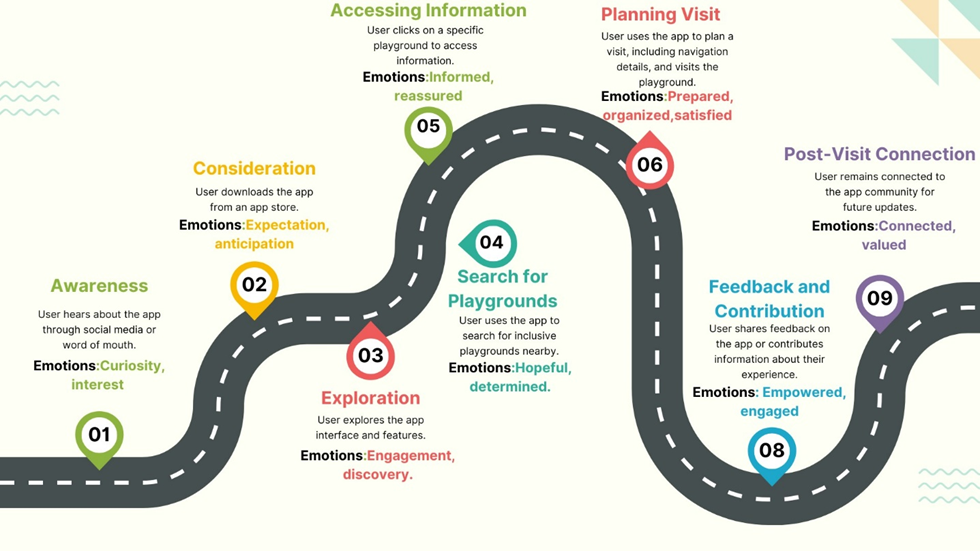
Customer Journey Map
WHY? - It helped me understand the user experience with my inclusive playground app. It allowed me to empathize with users, identify pain points, recognize opportunities for improvement, and maintain a user-centric focus. The map also served as a visual tool for effective communication and helped in framing the problem more precisely
Bringing My Concept to Life
Bringing My Concept to Life
4. Prototype
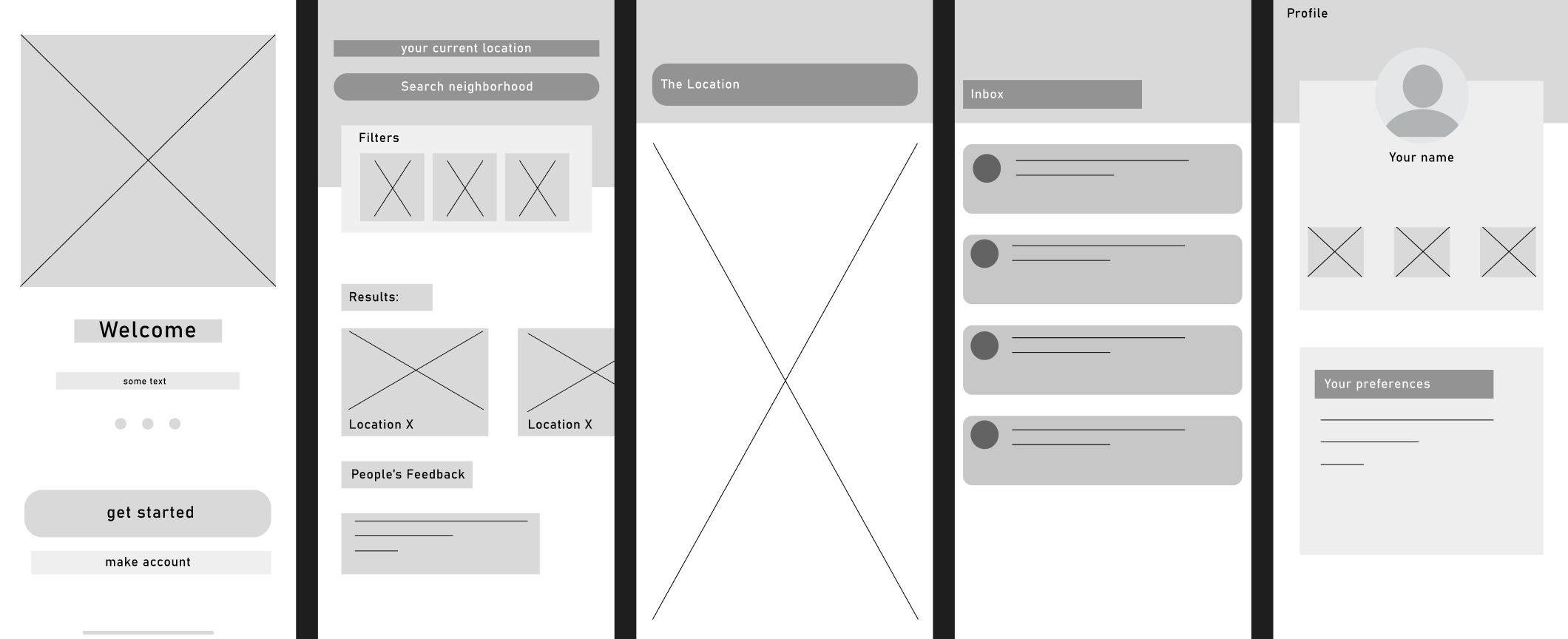
Keeping in mind my target audience, which is large (25y - 50y old), I had to make the app very easy to use and simple. I started with some simple sketches in Figma that have basic features and buttons.
Low Fidelity Prototype
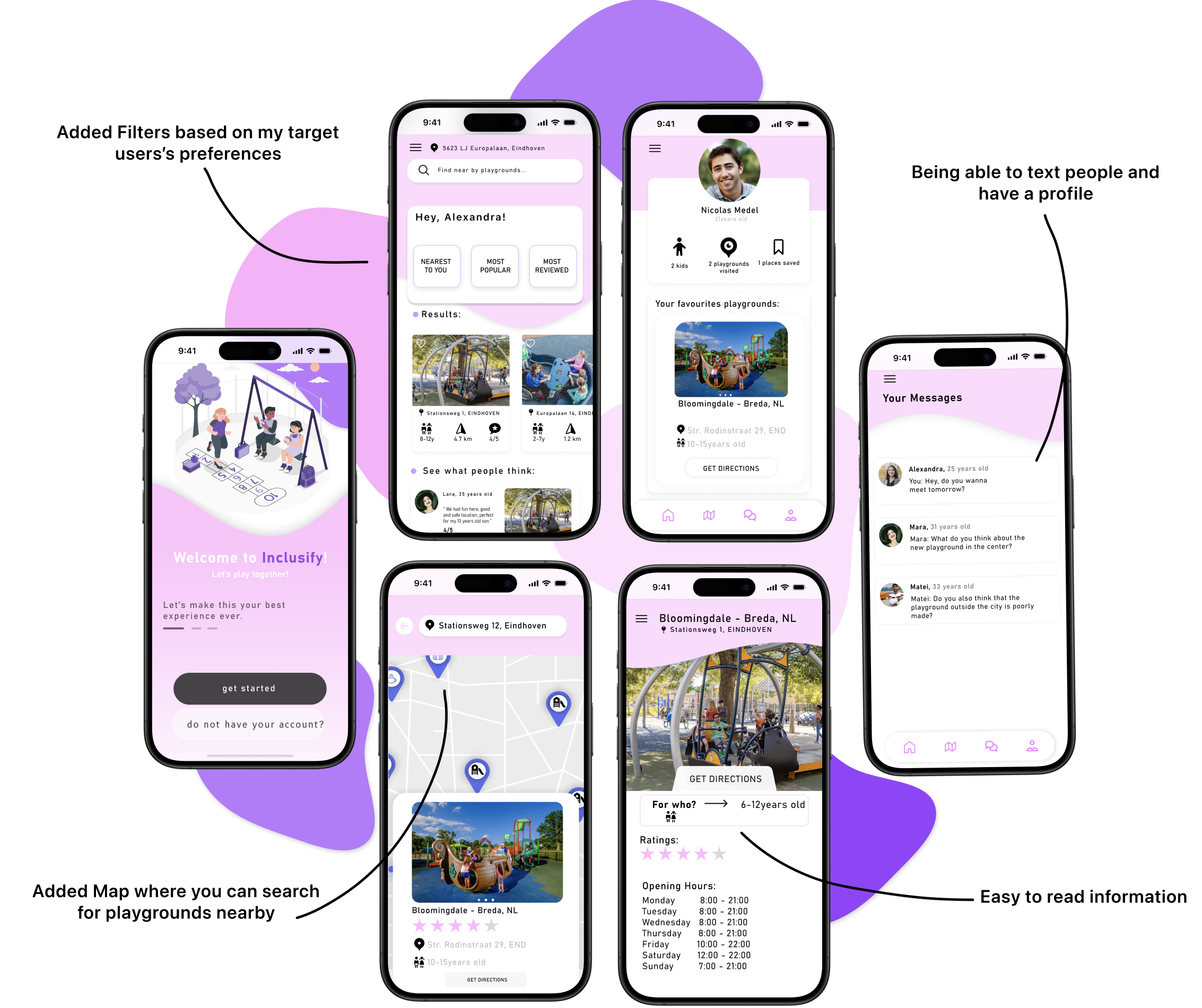
High Fidelity Prototype
Testing Our Concept
Testing Our Concept
4. Testing
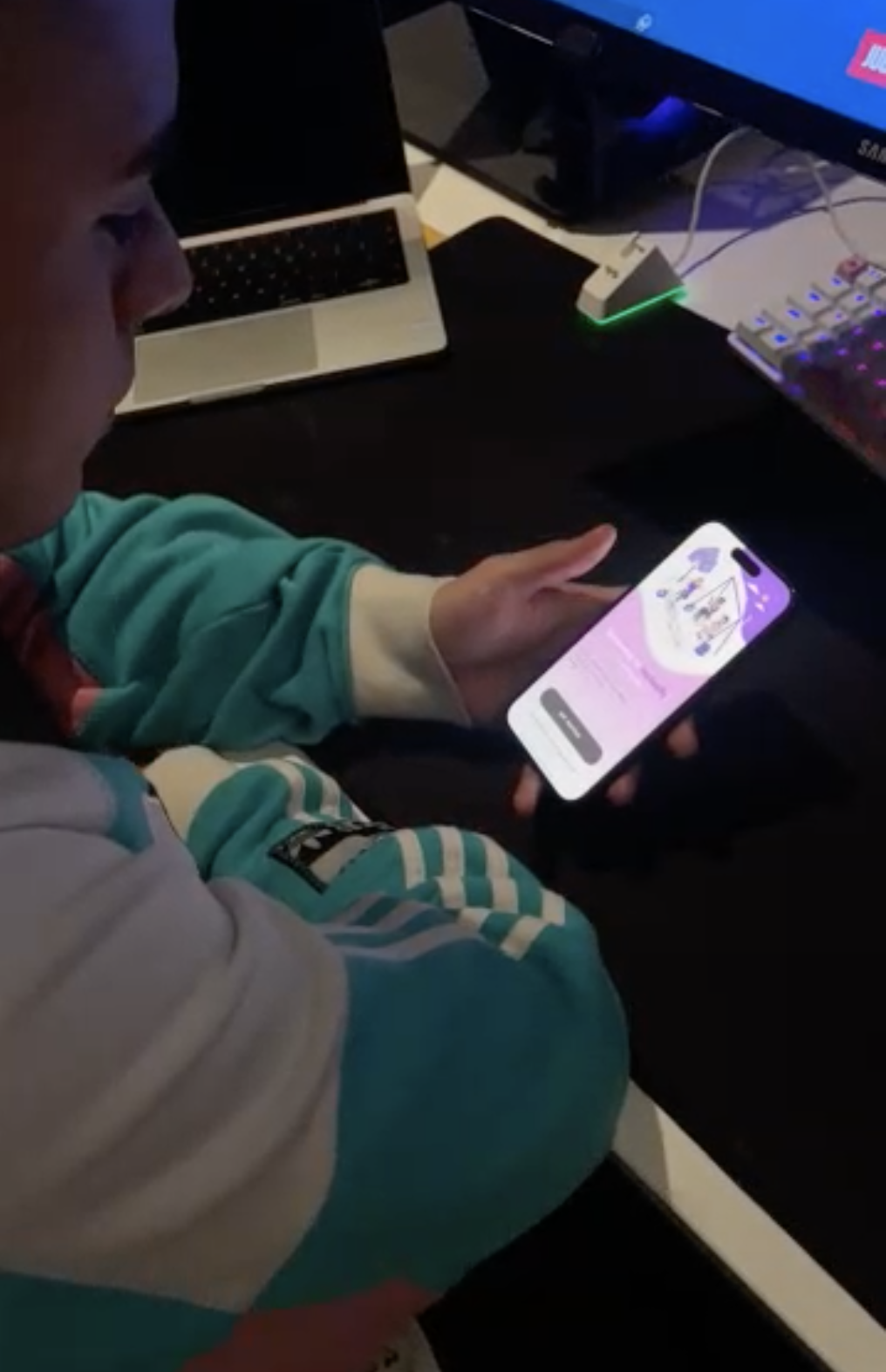
Usability Testing
I chose one of my friends, Nicolas, who is 25 years old and is taking care of his little brother who has disability problems.
The questions for the test:
Can you use one of the filters to better find playgrounds?
How would you get more info to get to one playground?
How can you access the map?
Do you understand what is this map for?
Can you press on one of the playgrounds that you can see on the map?
Is this enough information for you to get to the location and also know about the playground?
How can you see your profile?
What do you think about the app? Is the design appealing?
WHAT WAS MY USER FEEDBACK?
Good Points:
likes that you can text people;
likes that you can see star rating;
simple and easy to use;
Bad Points:
wants to be able to add people as friends;
wants to write reviews;
This project has played a crucial role in refining my skills and understanding of the design process. Working solo and under time constraints, I went through each stage, gaining practical experience in user-centered design from research to prototyping and testing.
•
Developing and testing the product allowed me to apply theoretical knowledge, significantly improving my proficiency in UX and UI design. This project underscored the importance of user feedback and iterative design in creating impactful digital solutions.
•
Overall, it has been a transformative journey aligning with my aspirations in UX/UI design, enhancing my technical abilities, and deepening my appreciation for user-centric approaches.